Kehai — Know without looking.

Kehai 気配 v0.16.0 for Windows

Know without looking.

A companion dashboard for the small display on the corner of your desk. Your coding agents and their tokens, the machine, what's playing, what's waiting on you and a dock of the apps you reach for: big enough to read sideways, quiet enough to forget. And still while you play.

Windows 10+FreeMITNothing leaves your PC

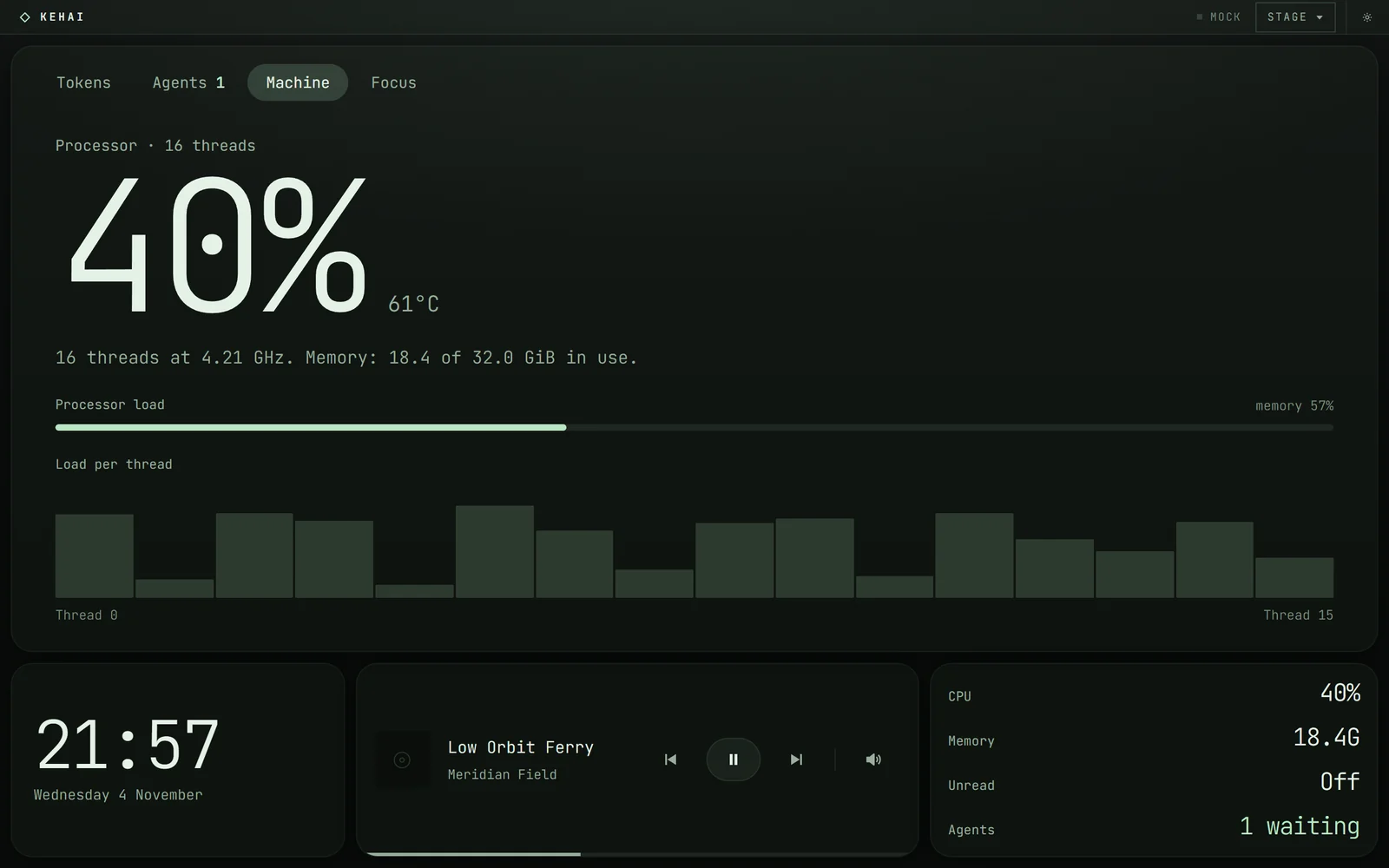
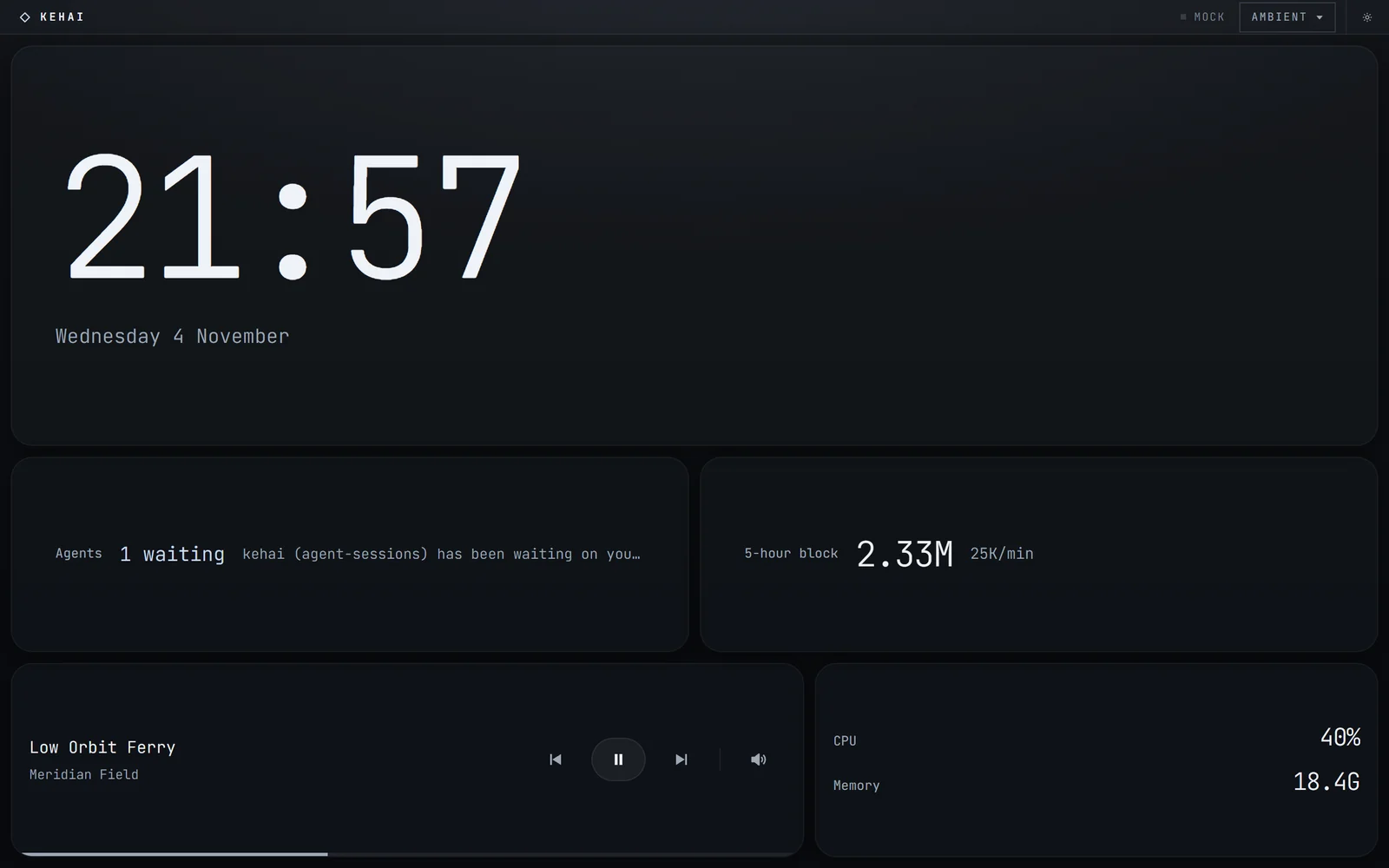
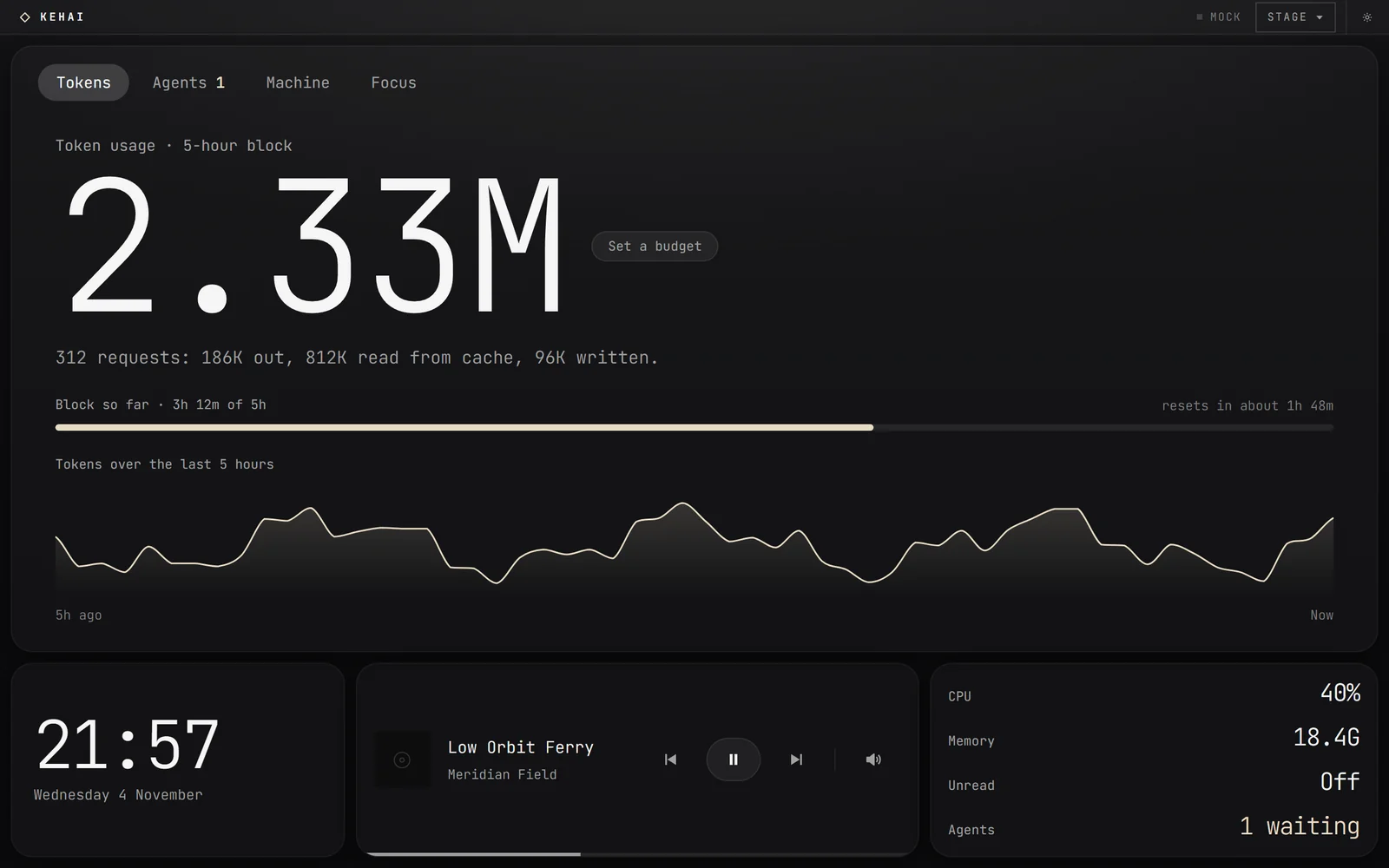
Kehai's Stage layout in Obsidian: a large token readout with five hours of history, and the clock, now playing and vitals along the bottom Stage in Phosphor, on the Machine tab: CPU load, temperature and per-thread use Ambient in Ice: a very large clock with agents, token use, now playing, CPU and memory below it

Live · not a video

This is the real panel.

Kehai 0.16.0's own renderer, running in this page on made-up numbers. The header says MOCK because nothing here reads your machine. Tap a tab, swipe the header to change layout, press S for settings.

Theme
Shape
Layout
Waking the panel…

1280 × 800 · a 10-inch panel

What it shows

The handful of numbers you'd switch windows for.

Few numbers, and big ones. The chrome stays low-contrast, and nothing moves unless the value under it is moving.

01Agents

  • kehai · agent-sessionsYour turn
  • api-gateway · +2Tool
  • webWorking

Your coding agents

Which sessions are working and which are waiting on you. Tap one and its window comes to the front. Read from files already on your disk: no account, no API call.

02Tokens

2.33M
5-hour blockResets 16:40

The token block

Tokens in the current five-hour block, when it resets, and the five hours before it, against a budget if you set one.

03Machine

CPU 35%
GPU 72%61°

The machine

CPU history and per-thread load, the graphics card's load and temperature, memory, network and disks, as a full pane or a status line of the readings you choose. Read from Windows' own counters and the card's driver: no vendor software, no admin rights.

04Now playing

Low Orbit Ferry

Meridian Field

Now playing

Track, cover art, play, skip and seek, and this computer's volume, for whatever is playing on the machine.

05Focus

Sprint 3 of 43 unread
18:42

Notifications and focus

The system's notifications: tap one and its app comes to the front, or dismiss it. And a focus timer that keeps today's focused time across restarts.

06Away

23:14

1 waiting on you

Quiet when you're away

With nobody at the desk it drops to the time and whatever is waiting on you, and at night it turns the display's own backlight down, where the display allows it.

While you play

Still while you play.

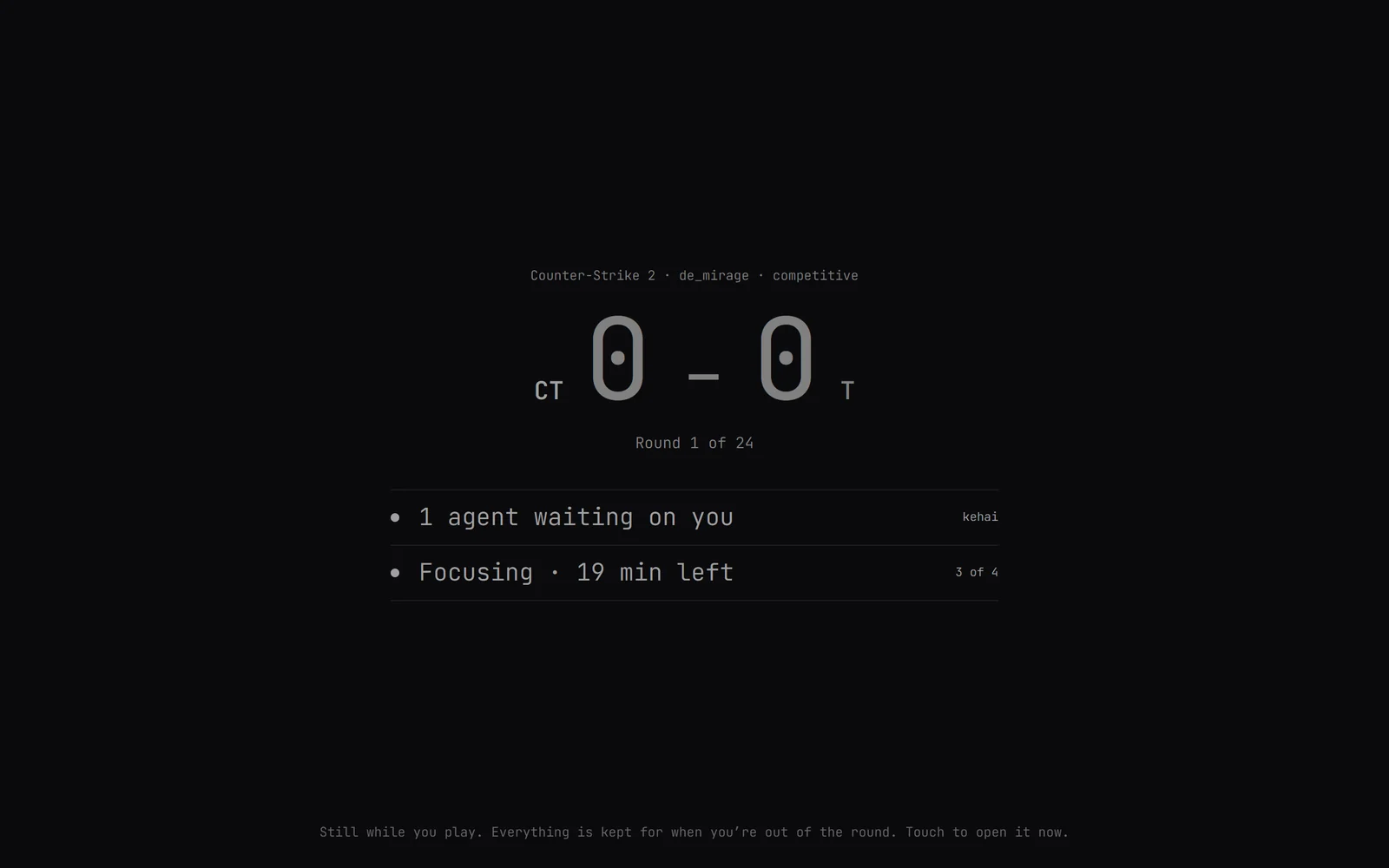
A second screen has no business being looked at in the middle of a round. While you're in one, Kehai goes dark and still and keeps whatever comes in. It opens in the gaps, and between matches it keeps the night the game forgets.

Goes still
Nothing moves or lights up: the score, dimly, and how many things are waiting. Never what they say.
Opens in the gaps
When you die and watch a teammate, at half time and after the match. A touch opens it sooner.
Tonight
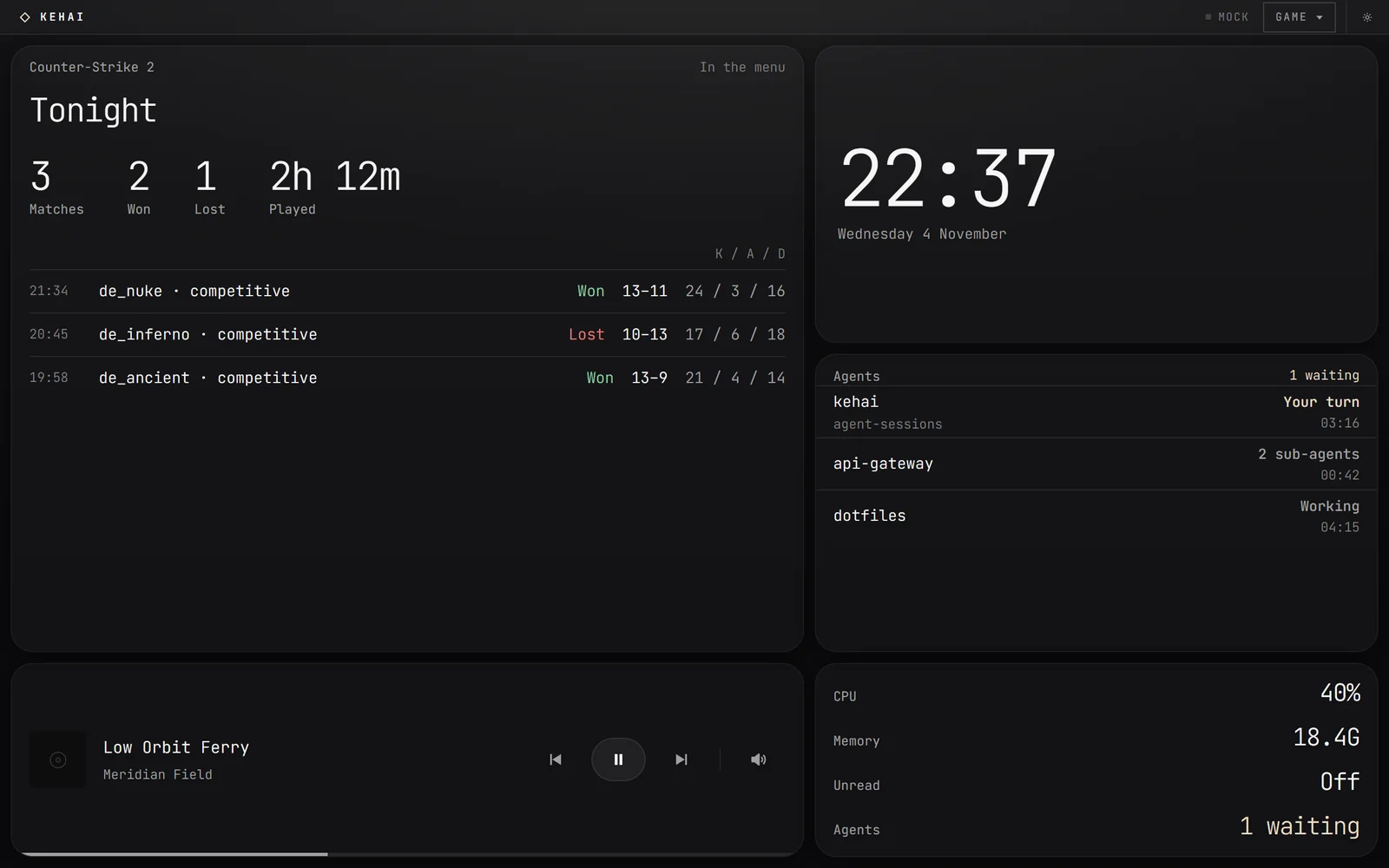
Each match, how it ended and how you did, and the time played, kept on this PC.
By the rules
Counter-Strike 2 sends it the score and your own figures through Valve's game state integration. Never the game's memory, other players or the bomb's timer.
Between matches: Tonight on the Counter-Strike 2 tile, with three matches, two won and one lost, two hours twelve played, and each match's map, result, score and kills, assists and deaths
In a round: the panel dark and still, the score dimly, one agent waiting and a focus timer held for later
In a round · front Between matches · behind

Dock

One tap, and it already knows.

Put the apps and games you reach for on the panel. Each button shows what Kehai already knows about it, and a tap brings it to the front, or starts it.

Buttons that know
An app's notifications, an agent waiting in it, music playing, the microphone in use, a game's score.
Your games
Every game you have installed in Steam, with Steam's own cover. A tap brings it forward, or Steam starts it.
Scenes
Several things from one tap: open your apps, switch the layout, start a focus block, set the sound, mute the mic. Nothing is ever closed.
Mic
Mute the microphone for every app at once, and see which app is listening.
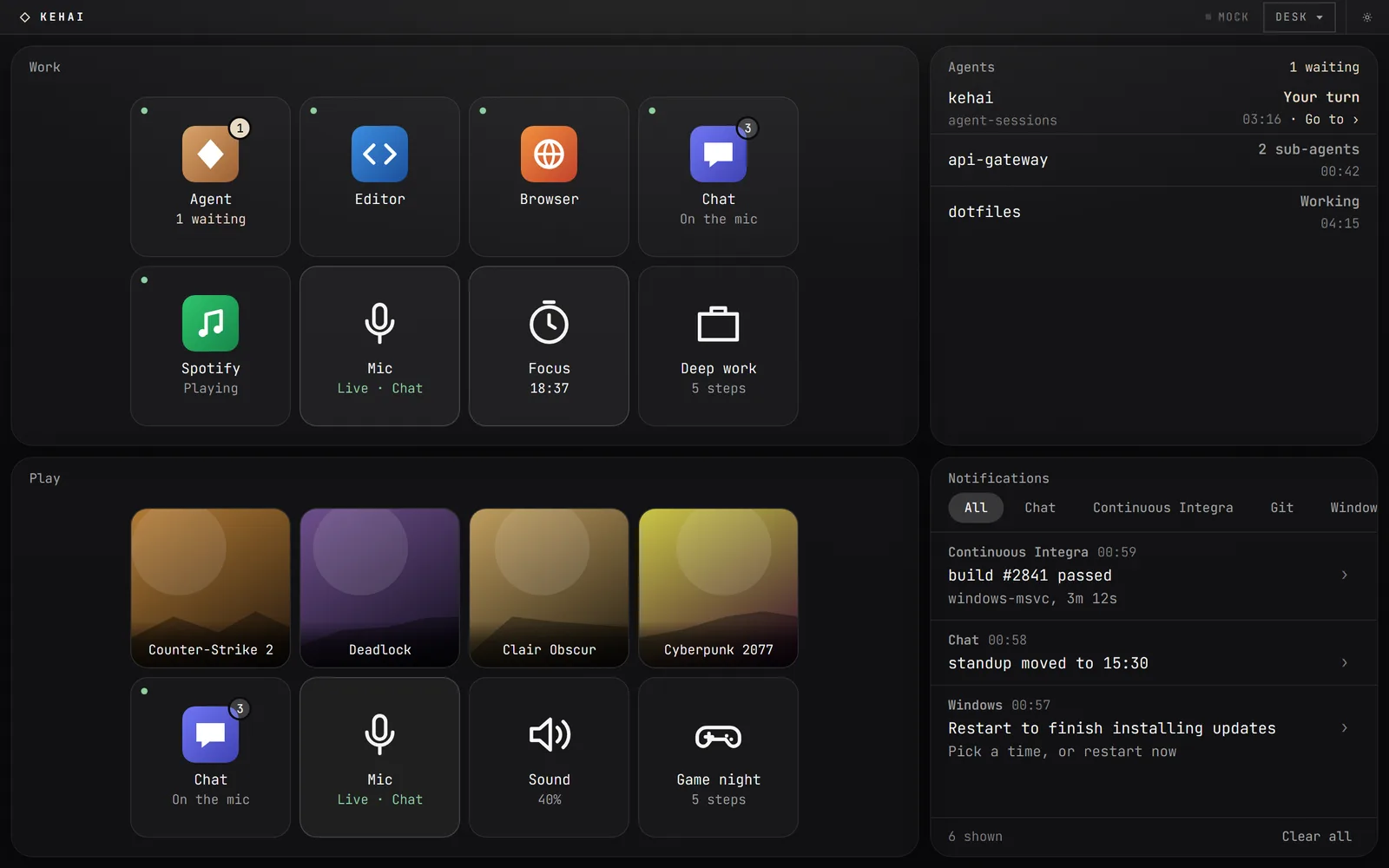
Two docks on the panel. Work: an agent app with one session waiting, an editor, a browser, a chat app on the microphone with three notifications, music playing, the Mic button live, a focus timer counting down and a five-step scene. Play: four game covers, chat, the Mic, the sound at 40% and a Game night scene

Layouts

Any shape of display.

Three presets, Stage, Panel and Ambient, each arranged three ways. Kehai picks the arrangement from the shape of its window, so a tablet turns with you. Or draw your own in the arranger: drag a tile to move it, drag its corner to resize it. Below is Stage, tile for tile.

Remote panel

Or any screen in the house.

Serve the panel to a tablet, a phone or an old laptop on your network. It's the same panel, so it turns with the tablet and takes a tap the same way.

Scan to pair
Settings shows a code. The tablet scans it and keeps the key from then on.
Finds the PC again
When the router hands your computer a new address, the tablet follows it.
Never stale as live
If the computer goes away, the tiles dim and the header says since when.
View only, unless you say
Media, notification and timer buttons work from a tablet once you allow control.
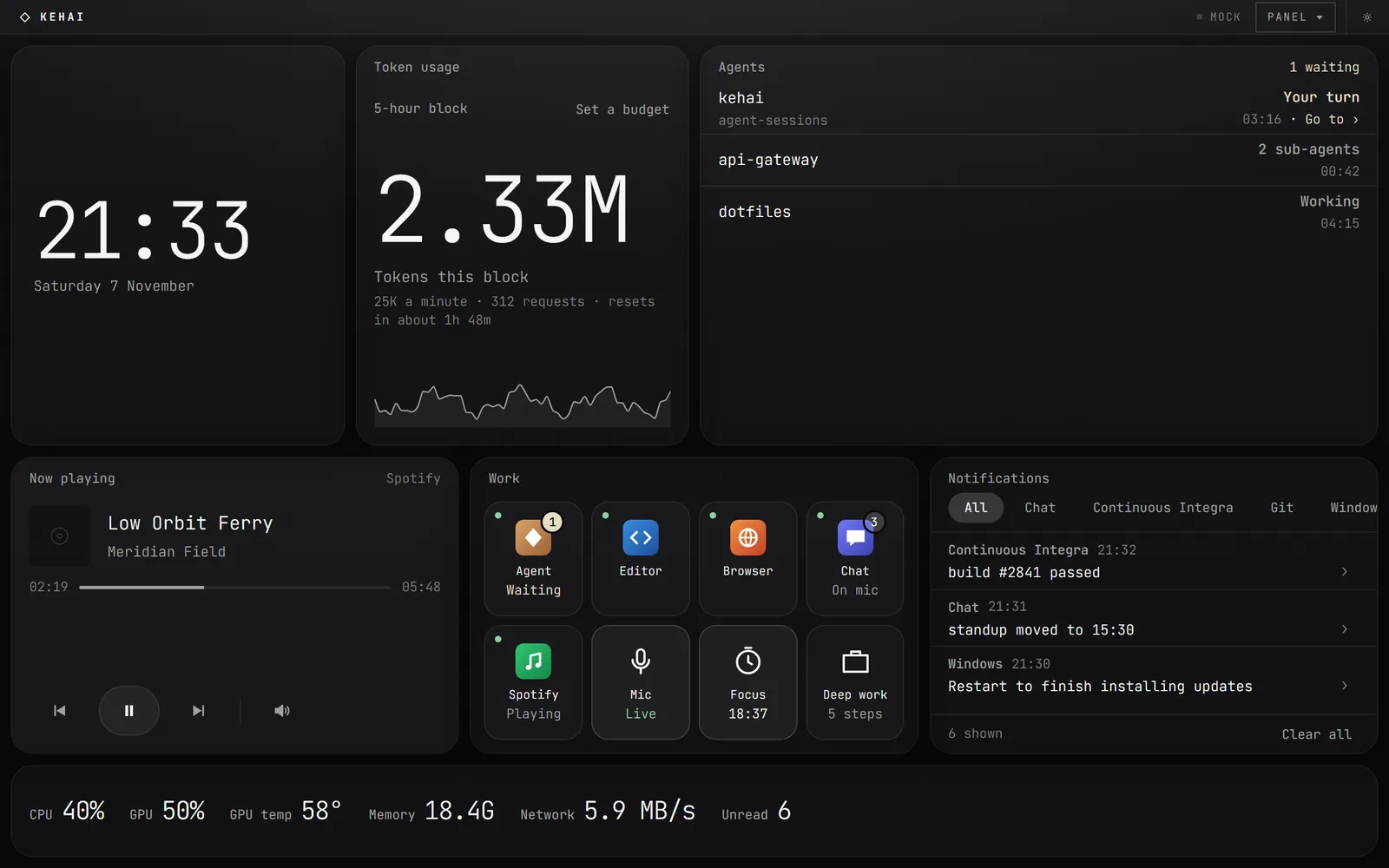
The Panel layout in Obsidian on a tablet: clock, token usage, agents, now playing, a dock of apps and toggles, notifications and a vitals strip
KEHAI Remote
See what the tablet says.

Privacy

Nothing leaves this machine.

Kehai reads the computer it runs on and keeps what it reads to itself. No account, no server, nothing to sign in to.

Everything it writes, sends and listens for
What leaves this machine Local
Reads
This computer. Nothing it reads is uploaded or phoned home.
Games
Only what a game sends it on this PC, through the publisher's own route. It keeps how your matches ended, on this PC, and forgets them when you ask.
Requests
One kind: the update check, when you press Check or turn on automatic checks.
Listens
For nothing, until you turn on the remote panel. Then only a device holding the key sees the data.
Agents
Usage counters from local transcripts, and which sessions are still open. No prompt or response text is read, and a tap only brings a window you already have to the front.
Dock
Opens only what you put on it, and only from a tap on this PC. It sees which apps have a window or the microphone open, never what is in them.
Updates
Refused unless signed with the key built into the app.
Font
Built in, so not even that is fetched.
Open source

Built in the open.

A Rust engine on Tauri reads the machine; a React renderer draws it, the same bundle on the desktop and on a tablet. MIT licensed, and building it yourself takes about five minutes.

3.2 MBInstaller. It draws with the system's WebView2, not a browser of its own.
11Widgets, from the token block to the dock and Counter-Strike 2.
27Ways to look: three presets, three shapes, three themes.
0Accounts, servers or telemetry.

Download

Kehai v0.16.0

Released November 7, 2026. Windows 10 1803 or newer, x64.

The binaries are unsigned, so SmartScreen warns on first launch. An installed copy updates itself, and refuses any update not signed with the key built into it. If you'd rather not trust a stranger's exe, build it from source.

ke · hai

The sense that something is present, without having to look at it directly.

Put it in the corner of your eye